CMP-02 Serial Traceability Report
One row per serial number with its current status - the serial lifecycle anchor.
This report lists one row per serial number with its current status and SKU. It is the anchor for tracing a single unit through its whole chain. It uses real-time data, so the status shown is the status as it stands when you run it.
What this report is for#
Use it when you need the current standing of one specific unit: find its serial number, confirm its SKU, and read its current status. For the unit’s movement history, continue from this anchor into the pick SN log and the inventory ledger with the same serial number, as the counting notes below explain.
How the numbers are counted#
Each serial number appears once with its current status and SKU. Movement history per serial is read from the pick SN log and inventory ledger with the same serial number.
Each row is one serial number, one SKU and one status.
Dimensions and filters#
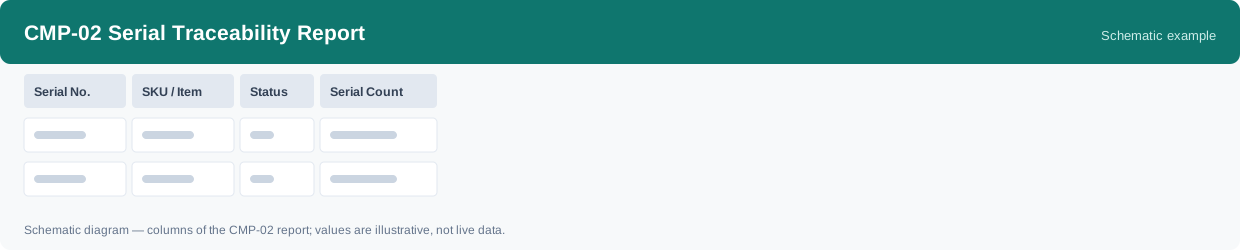
- Serial No. — the serial number
- SKU / Item — the product
- Status — the current status
- Serial Count — how many records in the group
- Filters you can set: Warehouse
How to read it#
Start from the serial number you are tracing: its row gives you the SKU and the current status in one place. This report shows where the unit stands now, not the path it took — for movement history, read the pick SN log and the inventory ledger with the same serial number.
Typical uses#
- Confirm the current status of one specific unit by its serial number
- Check which SKU a serial number belongs to
- Start a single-unit trace, then continue in the pick SN log and inventory ledger
Reports features used in this article: pick this report in Reports, set the date range or warehouse filter and click Run to see the result; use Export to download the result as a CSV file; or use Subscribe to have the same view sent to your inbox on a schedule.
Note on subscriptions: your subscription and its filters are saved right away. Scheduled email delivery is being switched on in stages — sending starts as soon as delivery opens for your organization.