CMP-04 Operation Audit Report
Audit-log volumes by action, target type and operator.
This report shows audit-log volumes by action, target type and operator: how many audit log entries fall into each combination. It uses real-time data, so the counts reflect the audit log as it stands when you run it.
What this report is for#
Use it as the volume and pattern view of the audit log: which actions happen most, which target types they touch, and which operators they come from. It is for spotting patterns and deciding where to look closer — the entry-level detail itself is read on the audit log page, as the counting notes below explain.
How the numbers are counted#
Counts audit log entries. Entry-level detail (before/after values) is read on the audit log page; this report is the volume and pattern view.
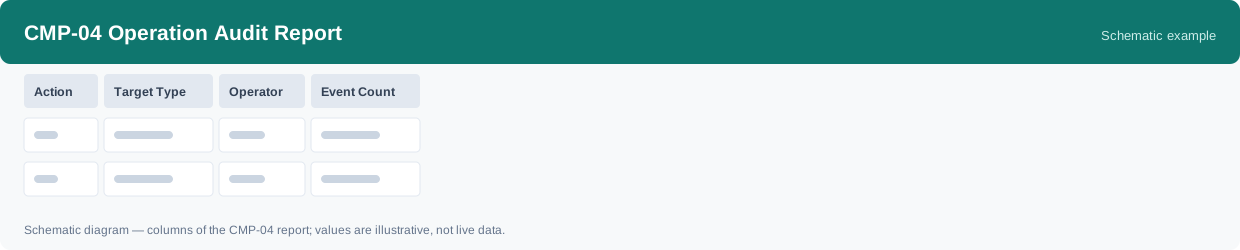
Each row is one action, one target type and one operator.
Dimensions and filters#
- Action — the action recorded in the audit log
- Target Type — the type of object the action was on
- Operator — who performed the action
- Event Count — how many audit log entries in the group
- Filters you can set: Date range
How to read it#
Read the counts as volumes, not as verdicts: a high count on a row means many entries of that action, target type and operator were recorded in the period — it tells you where the activity is concentrated. To judge any single entry, go to the audit log page and read its before and after values there.
Typical uses#
- See which actions and target types generate the most audit entries
- Compare audit volume across operators
- Decide where to drill into entry-level detail on the audit log page
Reports features used in this article: pick this report in Reports, set the date range or warehouse filter and click Run to see the result; use Export to download the result as a CSV file; or use Subscribe to have the same view sent to your inbox on a schedule.
Note on subscriptions: your subscription and its filters are saved right away. Scheduled email delivery is being switched on in stages — sending starts as soon as delivery opens for your organization.